Make Viral Reaction-Style Clips via Free AI Video Editor
Reaction videos have gained massive popularity on social media such as Tik Tok and YouTube because of their ability to capture real-time reactions and feelings that viewers can associate with
Reaction videos have gained massive popularity on social media such as Tik Tok and YouTube. They are appealing because of their ability to capture real-time reactions and feelings that viewers can associate with. Viewers love to watch genuine expressions, humors or surprise reflected by creators. This gives a feeling of communal experience and establishes immediate interaction. Reaction-format content succeeds as it is emotionally relatable and provides the viewer with a bite-sized entertainment that makes them revisit it again and again.
The psychology of reaction videos is both simple but strong. Humans have a basic attraction towards the content that echoes their thoughts, opinions or emotions. When the producer reacts to a trending moment, product or news item, audiences feel acknowledged and included in the discussion. Relatability is the force that makes virality, even making subjects that appear to be niche content shareable.
Platforms that reward reaction clips have high engagement as the viewers watch longer and interact. Reaction content is more spontaneous and authentic, unlike highly scripted videos. Such authenticity promotes shares, comments, and repeat views, which increase overall reach. Due to this, creators that excel in reaction-style content tend to have their channels grow quicker than creators who purely concentrate on more conventional content.
Without the appropriate tools, it can be time consuming to create reaction videos. Conventional editing is done through manual cutting, synchronizing and captioning, which delays production. Pippit addresses these challenges as a free AI video editor, enabling creators to produce reaction-style content efficiently. The platform also simplifies the whole process with the help of AI-assisted editing, sync, and automatic enhancements, which gives more time to express creativity.
Why Reaction Clips are So Viral
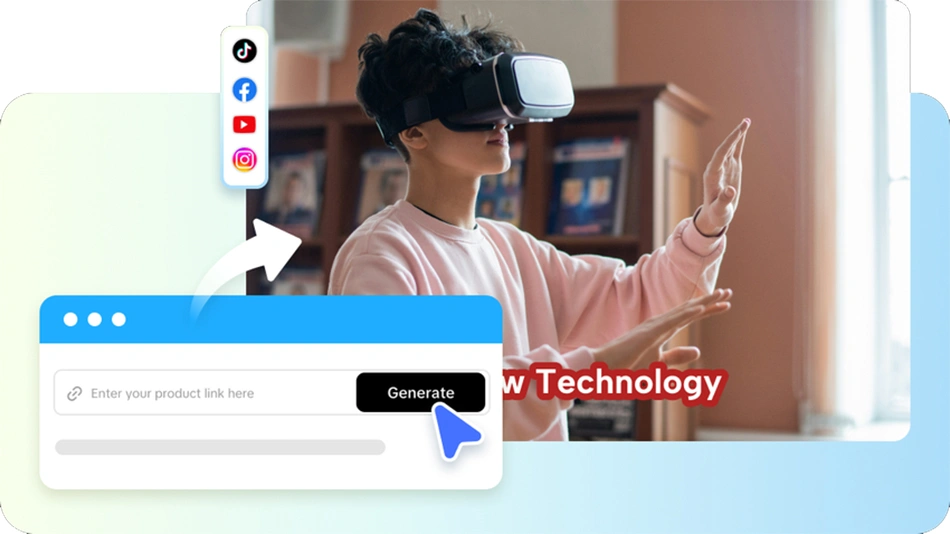
Reaction videos are successful because of the shared viewing experience effect. Viewers do not only feel like they are sharing the moment with the artist when they view a reaction. This is further intensified by emotional mirroring. Shock, laughter, or excitement can be spread, and it will compel interaction on social media.
Quick entertainment is another element that makes virality. Reaction videos are brief, lively, and light to read. They are ideal fits in scrolling on Tik Tok, Instagram Reels, or YouTube Shorts. These clips may be about virtually anything: gaming, news, product demonstrations, reviews, or trending challenges, which can be a broadly applicable resource of content creators who want to reach a large audience.
Types of Reaction Videos Producers Make
There are various approaches taken by creators to reaction content. Live reactions are in-time responses to games, videos or events. Commentary impacts enable creators to add knowledge or humor when viewing existing content. The influencer-style product responses offer genuine endorsements with an appeal to audiences. Reviewer responses examine and criticize material, providing viewers with opinions they can depend on. Opinion-based breakdowns provide more depth, to the extent that they provide both entertainment and insight.
Both types are based on timing, energy, and relatability. These qualities can be improved with the help of the right editing, so videos are more interactive and are more likely to be shared. Pippit simplifies this, which enables creators to concentrate on recording real reactions instead of struggling with complicated software.
Steps to Make Viral Reaction-Style Clips via a Free AI Video Editor
Step 1: Upload reactions and enter prompts
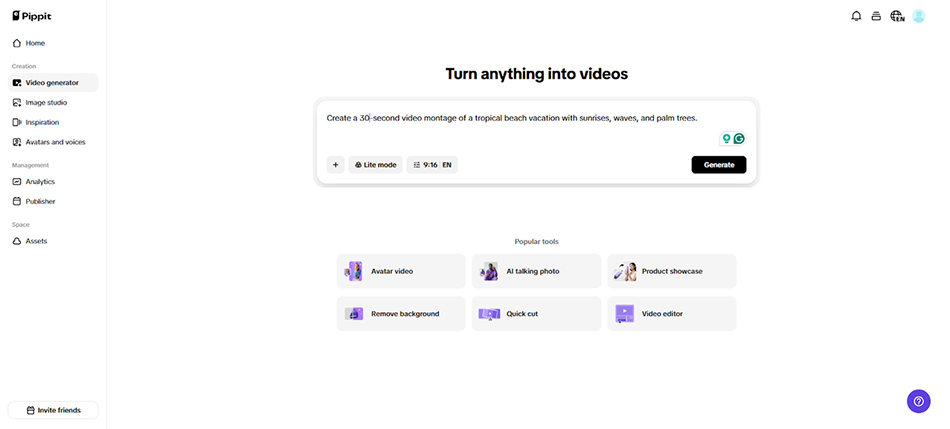
Start by signing up and accessing the AI video editor. Go to the "Video generator" tab and type your text prompt for the reaction-style video. Upload reaction clips or reference media through the "Add media" tab from your device, phone, Dropbox, or a link. If no media is available, select from assets. Click "Generate" to proceed.
Step 2: AI assembles your reaction video
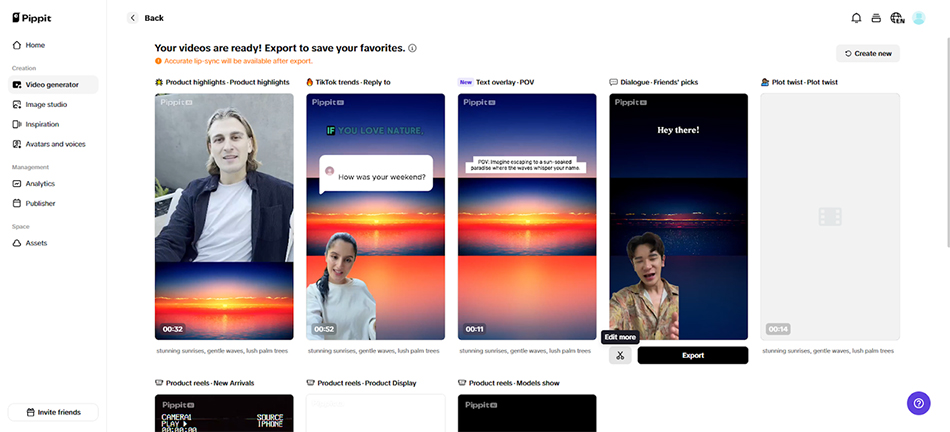
The AI video generator automatically edits your clips and builds your reaction-style video. It handles transitions, pacing, and video enhancements smartly. Avatars, voice, lyrics, captions, and photos/videos are added to enhance the content.
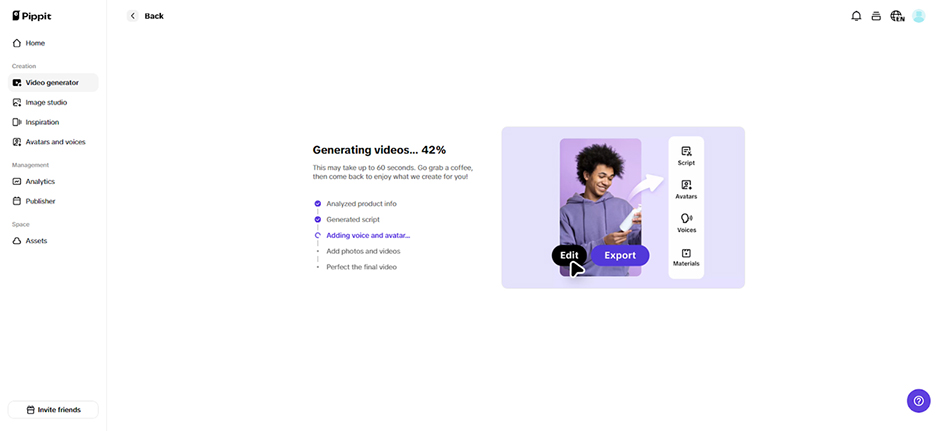
You’ll receive 4 to 5 drafts. Choose one and click "edit more" to fine-tune in the editing interface.
Step 3: Personalize and share your viral clip
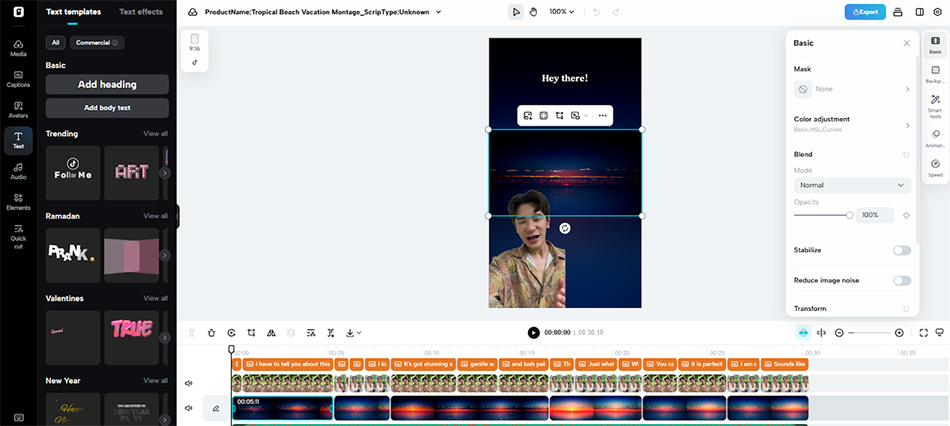
After generation, edit captions, add text, adjust size, color, and alignment, modify effects and filters, add or remove background music, and tweak visuals.
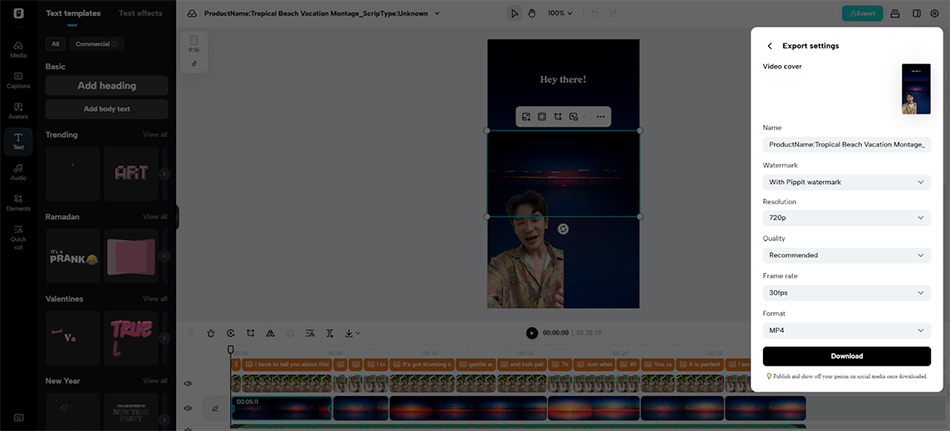
When satisfied, click "Export" at the top right. You can publish directly via "Publish" or download with custom format, frame rate, resolution, quality, and name using the "Download" tab.
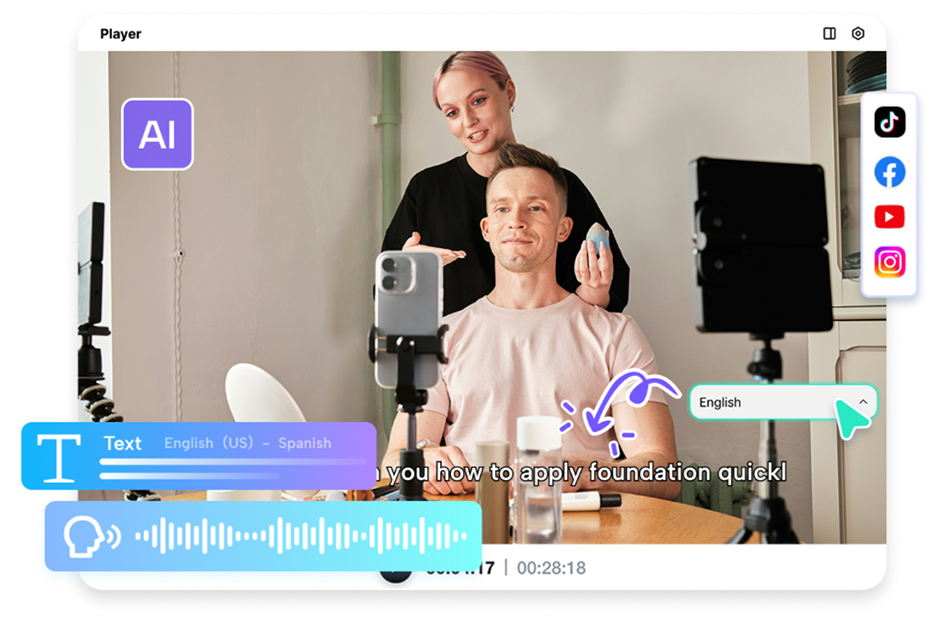
Pippit also supports multilingual content creation. With a free online video language translator, captions, scripts, and voiceovers can target global audiences, widening reach. Combined with AI-enhanced production, this ensures reaction videos are both accessible and highly shareable.
Important Editing Rules in Rapid Reaction Videos
Successful reaction videos are those that keep the eye movement consistent, and the audience will not become bored. Expressive moments and cutaways are emphasized by zoom-ins.
Captions serve to bring out key commentary and humor, and short run times make the content digestible. Graphical emphasis, fun emoji overlays, and audio effects at appropriate time further increase the value of entertainment.
AI-Assisted Reaction Clips Scaling
AI editing can help creators to scale reaction content effectively. It is possible to reuse templates, and various video versions can be created to target various audiences.
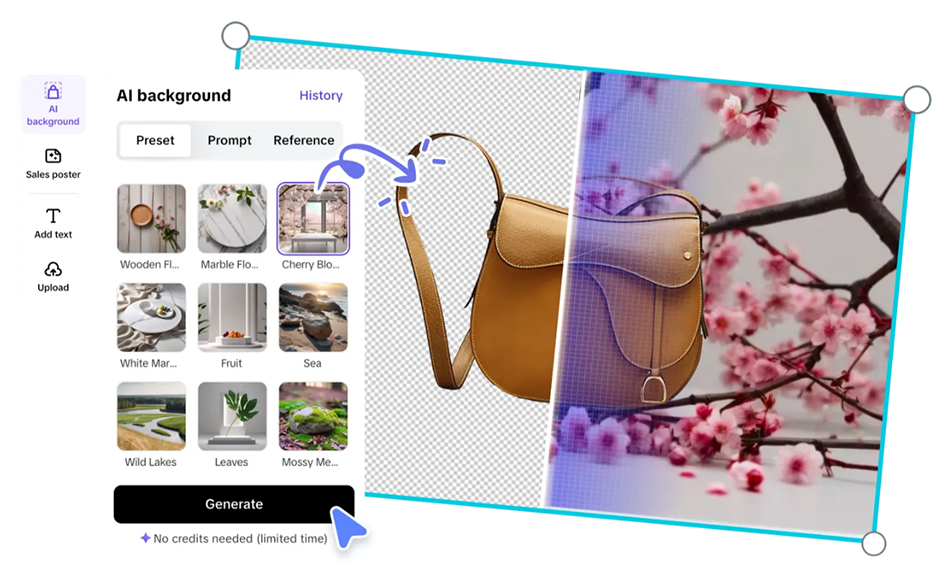
Quick turnaround enables posting in large volumes ensuring that channels remain active and consistent. Pippit’s features, including AI background customization, support creative storytelling without extra production costs.
Conclusion
Reaction videos are the established way of getting attention and creating audience interaction. Their emotional connectivity, rapidity and flexibility are the right elements of social media success.
Pippit eliminates the barrier of manual editing, enabling creators to make viral-ready content in minutes.
Using AI-driven video creation, syncing, and editing applications, any person can produce professional and entertaining reaction videos that go viral.
Follow ummid.com WhatsApp Channel for all the latest updates.
Select Language to Translate in Urdu, Hindi, Marathi or Arabic